
Gmail, WhatsApp, CRM, DIAN and Power BI: how IANALITICS connects to what you already use
Key takeaways
- Integrating means a piece of data is typed once and travels on its own to wherever it is needed: every retyping costs time and opens the door to an error.
- Inside IANALITICS, inventory, purchasing, sales, invoicing and payroll already share the same data; outside systems connect through REST APIs.
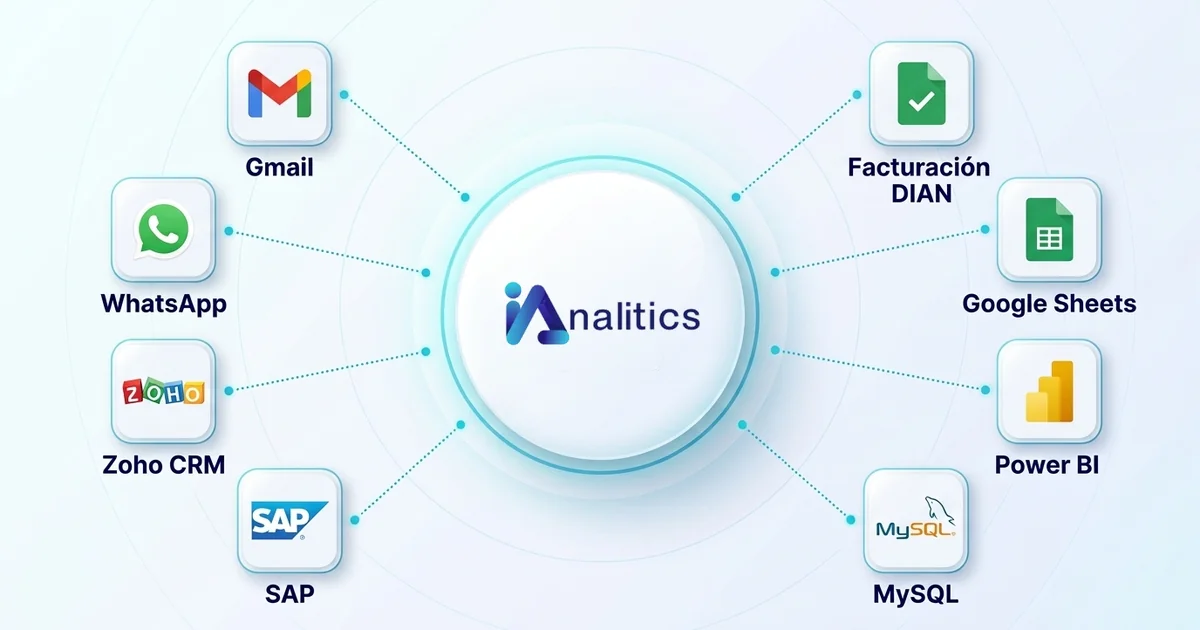
- DIAN e-invoicing (as your own software: your company signs and the platform transmits directly) and emailing invoices are included; CRM, WhatsApp, Power BI, Gmail and others are custom integrations, and the Performance plan includes up to three.
- Start with the integration that removes the most repetitive typing from your team, not the flashiest one.
Follow the path of any order. It comes in by email or WhatsApp. Someone copies it into the sales system. Then they pass it to the CRM so the sales rep knows that customer bought. Then they build the invoice with the same data, and at month end they export it all to Excel for the management report. One order, typed in four times by four different people.
Every time a piece of data is retyped, time is lost and the door opens to an error: a tax ID with one digit changed, an amount with an extra zero. Integrating systems means getting that data written once and travelling on its own to wherever it is needed.
Here we explain how IANALITICS does it with the tools companies already use: email, WhatsApp, CRM, e-invoicing and Power BI. And, for anyone who wants the detail, how each integration works under the hood.
The underlying idea: every piece of data is born in one place
IANALITICS brings inventory, purchasing, sales, invoicing and payroll together in a single system. That alone removes a good part of the internal retyping. A recorded sale draws down inventory and logs the outbound movement without anyone typing it. A purchase order received adds to stock and stays tied to its reference number.
What remains are the outside systems, and for those the connection is made through a REST API. Each system exposes web addresses another one can request data from or send data to in JSON format, with a credential that states who is asking and what they are allowed to do. We build the integrations in Python, tailored to each company, because no two have the same systems or the same fields. If you want to see how one is built from the inside, with sample code, it is in this technical article.
What comes with the platform and what is custom-built
| Integration | How it comes |
|---|---|
| DIAN e-invoicing and e-payroll | Included in the Advanced and Performance plans; your company enables it as its own software |
| Emailing invoices to the customer | Included: you choose it when creating the invoice |
| AI assistant with OpenAI or Anthropic | Included from the Advanced plan; we help you connect your own API |
| CRM, WhatsApp, Power BI, Gmail, ERP, Google Sheets, SQL Server | Custom-built over REST APIs. The Performance plan includes up to three |
| Direct access to your data | Under a confidentiality and data protection agreement |
The difference matters when you compare providers. A custom integration is not a button you switch on: it is a development that gets designed, tested and maintained. In exchange, it fits your fields and your process, rather than the other way round.
DIAN e-invoicing
What it solves. The invoice comes out of the sale that was already recorded. Nobody retypes the customer, the products or the amounts.
How it works. Your company enables the platform with the DIAN as its own software. IANALITICS assembles the document from the sale and customer data, signs it with your company's certificate and transmits it directly to the DIAN. The response comes back to the platform and each invoice is marked Issued or Error in the list. Those that come back with an error are corrected and reissued. Issued invoices are not deleted: they are corrected with a credit note, as the rules require. We cover this in more detail in the e-invoicing article.
Email: Gmail and others
What it solves. Getting documents to the customer or supplier without someone downloading a PDF and attaching it by hand.
How it works. For sending only, the simplest route is SMTP, the standard email protocol, with a corporate account. When the integration needs something more — reading orders that arrive in a mailbox, or filing replies — the Gmail API is used. That API works with OAuth 2.0: someone at the company authorises the connection from a Google screen, with specific permissions, and the integration receives a token that expires and is renewed. The email password never passes through the integration.
One practical note: if the idea is to read orders from email, it is worth agreeing a minimum format with customers, such as a fixed subject line or the order as an attachment. Without that agreement you need to add an interpretation step, which AI can help with, but always with a person reviewing.
What it solves. Notifying the customer on the channel they actually check: that their order is ready, that their invoice was issued, that they have a payment outstanding.
How it works. For messages the company sends from a system, the route is Meta's official WhatsApp Business API. The integration calls that API with the recipient's number and a message template pre-approved by Meta, passing it the variable data: name, order number, amount. Templates are mandatory when the company initiates the conversation, and messages carry a cost charged by Meta at its current rates.
If what you need is not notifications but conversation — selling and supporting over chat — that is a different product of ours: the WhatsApp AI Agent, which replies around the clock, qualifies leads and books meetings.
CRM: Zoho, HubSpot and others
What it solves. Letting the sales team see in their CRM what the customer bought and was invoiced for, and making sure a customer created in the CRM does not have to be created again in IANALITICS.
How it works. The most widely used CRMs have REST APIs with OAuth 2.0 authentication. The integration syncs customers and sales in whichever direction is agreed. But what makes it work well is not the code, it is two decisions taken beforehand:
- What identifies a customer in both systems. In Colombia the natural choice is the tax ID, not the name. "Distribuidora Andina SAS" and "Distribuidora Andina S.A.S." are the same company to a person and two different ones to a system.
- Which system is authoritative for each field. For example, billing data is defined by IANALITICS and the deal stage is defined by the CRM. Without that rule, the two systems end up overwriting each other.
Power BI
What it solves. Management dashboards that refresh themselves, instead of the spreadsheet someone rebuilds every Monday.
How it works. Through Power BI's web connector. The integration publishes a REST endpoint, protected with a credential, that returns the data the dashboard needs in JSON. Power BI reads it as a web data source and queries it again every time the dashboard refreshes. That way only what was decided for publication leaves the platform. The trade-off is that a new indicator means adjusting the endpoint.
The other option is to give Power BI direct access to your data, with a read-only user and under a confidentiality agreement. It gives more freedom to build dashboards, but exposes more data and ties the reports to the internal structure of the data.
IANALITICS already includes its own KPIs inside the platform, such as inventory turnover by cost and by units, procurement cost and replenishment time. Power BI makes sense when management wants to cross that data with information living elsewhere: production, receivables, sales targets.
This is how Migtra describes their project, custom-built and connected to Power BI through the web connector:
"With IAnalitics we developed robust data analytics, integrating APIs and software tailored to our operation. Every week our analysts enter and review progress directly in Power BI, which has given us full visibility over operations and sped up decision-making."
Pedro García, General Manager, Migtra
ERP, Google Sheets, SQL Server and other systems
The method is the same for any system with an API: read its documentation, solve authentication, map the fields and build the synchronisation. When a system has no API — an old ERP installed on a company server, say — you can still read its SQL Server database or exchange scheduled files. It works, but it is more fragile, and we say so before starting.
"The IAnalitics team developed AI agents to automate key internal processes and built REST API integrations wired directly into our systems. The result was real automation of tasks that used to consume valuable time from our teams."
Luis Aguilar, Project Director, Termonorte
How an integration is delivered
- Discovery. Which piece of data is typed twice today, from which system to which, how often, and which side is authoritative for each field.
- Technical review. We read the other system's API documentation and confirm how it authenticates, what usage limits it has and whether it offers a test environment.
- Development. In Python over REST APIs, with retries, a log of every call and an alert when something fails.
- Testing and go-live. First with awkward cases and low volume; then the full flow.
- Maintenance. APIs change versions and permissions expire. That has to be planned for from the start.
Where to start
Count how many times the same piece of data is typed in a normal week, and by whom. The integration worth doing is almost never the flashiest one: it is the one that removes the most hours of repeated work from your team, or the one generating the most errors. Start there and leave the rest for later.
Which piece of data are you typing twice?
Tell us which systems your company uses and we will look at which integration makes the most sense to start with.
Book a conversation Or create your free accountFound this useful? Every week we share guides like this one on LinkedIn. Follow IANALITICS on LinkedIn →